git fetch command
git fetchThe command is used to fetch the code repository from the remote.
In this section, we will use GitHub as the remote repository for operations, so before reading this section, you need to first read the relevant content about GitHub:Git Remote Repository (Github)。
After this command is executed, you need to run git merge to merge the remote branch into the branch you are currently on.
Fetch data from the remote repository and attempt to merge it into the current branch:
git merge
This command simply executes git merge to merge the remote branch into whichever branch you are on, immediately after running git fetch.
Assuming you have configured a remote repository and you want to fetch updated data, you can first execute:
git fetch [alias]
The above command tells Git to fetch data that it has but you do not, and then you can execute:
git merge [alias]/[branch]
The above command merges any updates on the server (assuming someone has pushed to the server at this time) into your current branch.
This section useshttps://github.com/tianqixin/example-git-testas an example.
Next, we click on Github.README.mdand modify it online:
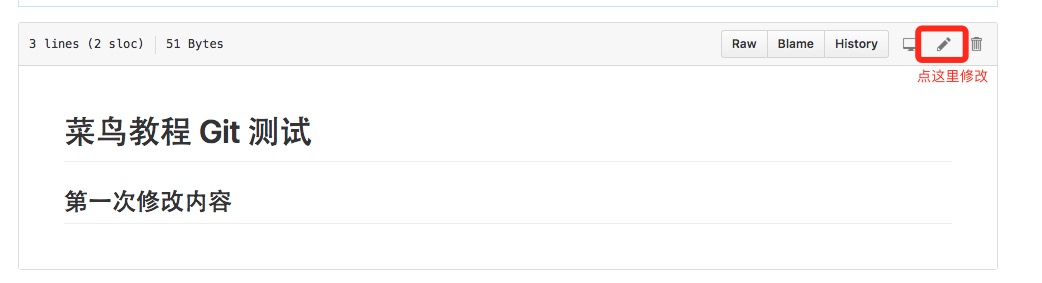
Then we update the modifications locally.
$ git fetch origin
remote: Counting objects: 3, done.
remote: Compressing objects: 100% (2/2), done.
remote: Total 3 (delta 0), reused 0 (delta 0), pack-reused 0
Unpacking objects: 100% (3/3), done.
From github.com:tianqixin/example-git-test
   0205aab..febd8ed  master     -> origin/master
The above message "0205aab..febd8ed master -> origin/master" indicates that the master branch has been updated. We can use the following command to sync the updates to the local repository:
$ git merge origin/master
Updating 0205aab..febd8ed
Fast-forward
 README.md | 1 +
 1 file changed, 1 insertion(+)
View the contents of the README.md file:
$ cat README.md
# Example Git 测试
## 第一次修改内容
other extensions