Markdown Lists
Markdown SupportsOrdered ListandUnordered List。
Unordered List
Unordered lists use asterisks (*), plus signs (+) or minus signs (-) as list markers. Add a space after these markers, then fill in the content:
* First item
* Second item
* Third item

+ First item
+ Second item
+ Third item


- First item
- Second item
- Third item
The displayed result is as follows:
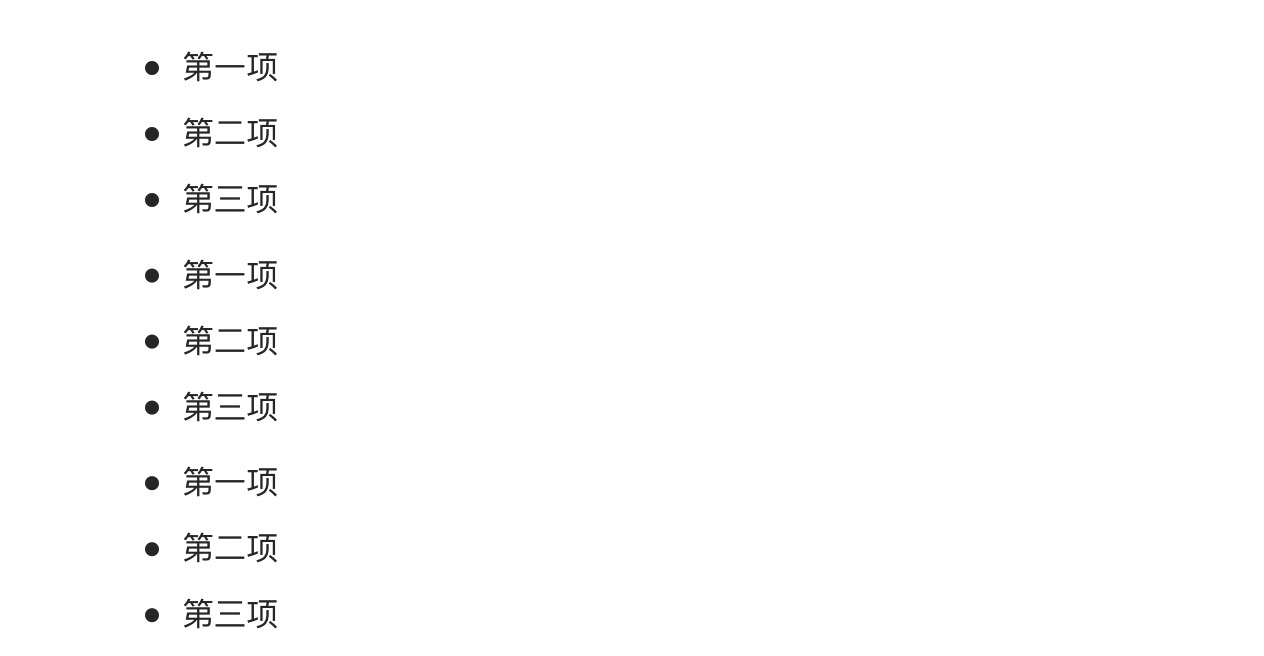
Selection suggestions:
- It is recommended to consistently use the minus sign-, because it is visually clearer
- Use consistent marker styles within the same document
- There must be a space after the marker symbol
Ordered List
Ordered lists are used to display steps or items that have a required sequence.
Ordered lists use numbers followed by a.dot to represent them, for example:
1. 第一项
2. 第二项
3. 第三项
The displayed result is as follows:

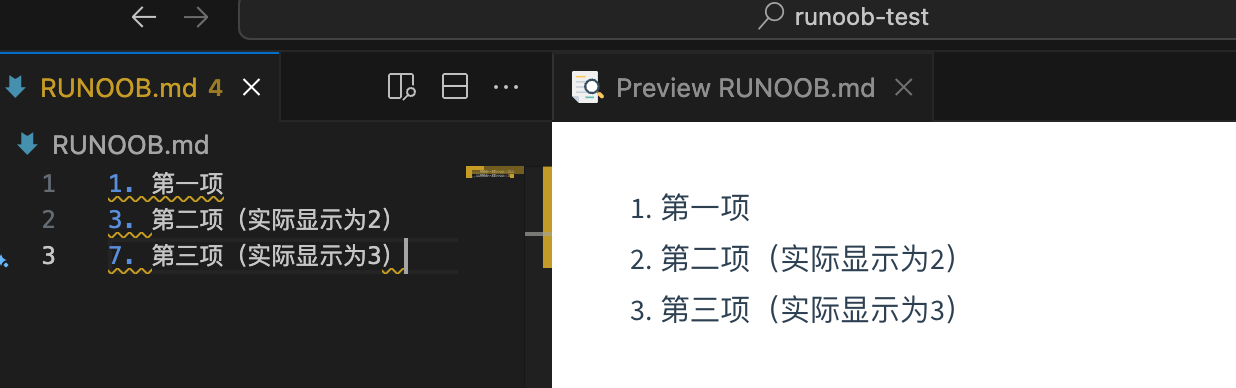
Numbers can be non-sequential
Markdown will automatically correct the number order:
1. 第一项
3. 第二项(实际显示为2)
7. 第三项(实际显示为3)
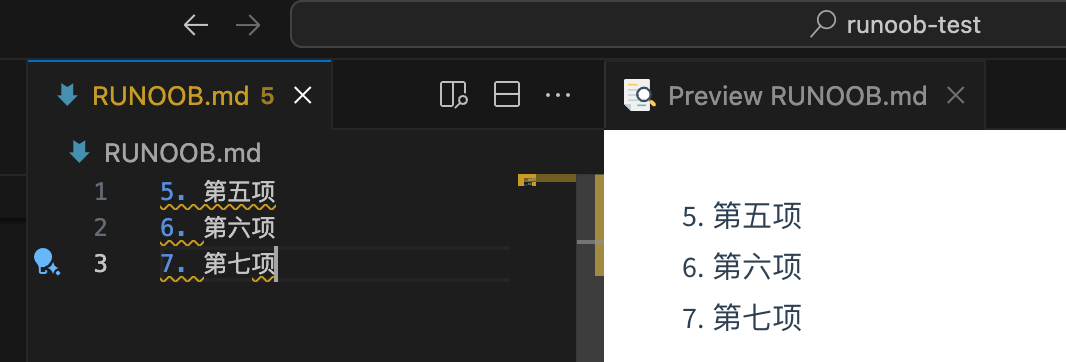
Start from a specified number:
5. 第五项
6. 第六项
7. 第七项
Nested Lists
List Nesting Tips
Lists can be nested to create multi-level structures:
Nested unordered list:
- Fruits
  - Apples
    - Red apples
    - Green apples
  - Bananas
  - Oranges
- Vegetables
  - Carrots
  - Cabbage
Nested ordered list:
1. 准备阶段
   1. 收集资料
   2. 制定计划
2. 执行阶段
   1. 开始实施
   2. 监控进度
3. 总结阶段
Mixed nesting:
1. 主要任务
   - 子任务A
   - 子任务B
     1. 详细步骤1
     2. 详细步骤2
   - 子任务C
2. 次要任务
For mixed nested lists, simply add two or four spaces before the items in the sublist:
1. 第一项:
    - 第一项嵌套的第一个元素
    - 第一项嵌套的第二个元素
2. 第二项:
    - 第二项嵌套的第一个元素
    - 第二项嵌套的第二个元素
The displayed result is as follows:
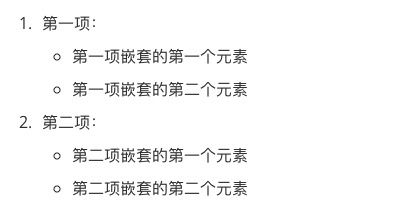
Nesting rules:
- Sublists need to be indented by 2-4 spaces (2 recommended)
- Keep the indentation length consistent
- Nesting can be unlimited, but it is recommended not to exceed 3 levels in practice
Task List (Checkbox List)
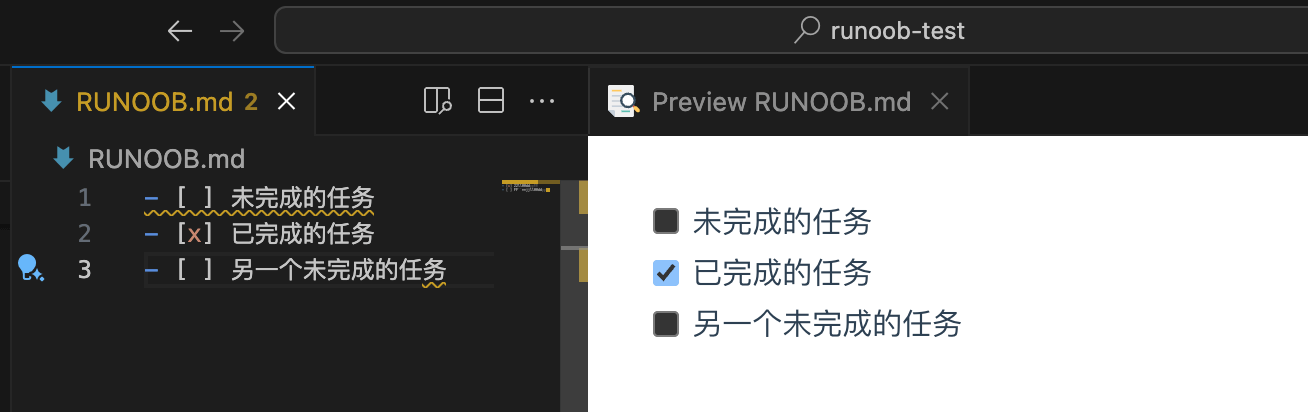
The task list is an extension of GitHub-flavored Markdown, now widely supported:
Basic syntax:
- [ ] 未完成的任务
- [x] 已完成的任务
- [ ] 另一个未完成的任务
Rendered result:
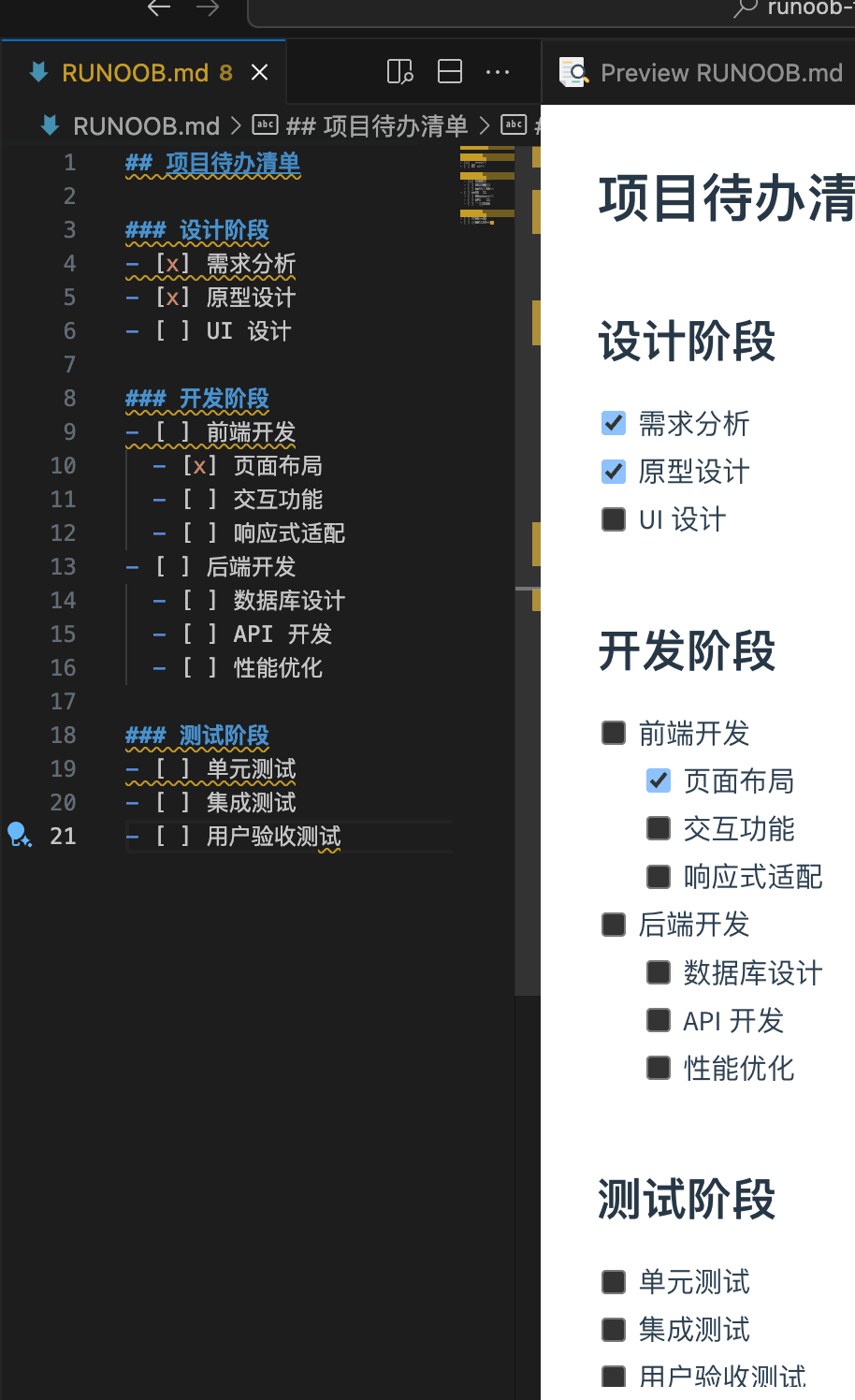
Practical application examples:
## 项目待办清单

### 设计阶段
- [x] 需求分析
- [x] 原型设计
- [ ] UI 设计

### 开发阶段
- [ ] 前端开发
  - [x] 页面布局
  - [ ] 交互功能
  - [ ] 响应式适配
- [ ] 后端开发
  - [ ] 数据库设计
  - [ ] API 开发
  - [ ] 性能优化

### 测试阶段
- [ ] 单元测试
- [ ] 集成测试
- [ ] 用户验收测试
Usage tips:
- The space and x inside the square brackets are important:
[ ]and[x] - Can be used in combination with nested lists
- Particularly useful in project management, study plans, and life checklists
- Some editors support clicking the checkbox to toggle its state
Advanced list tips:
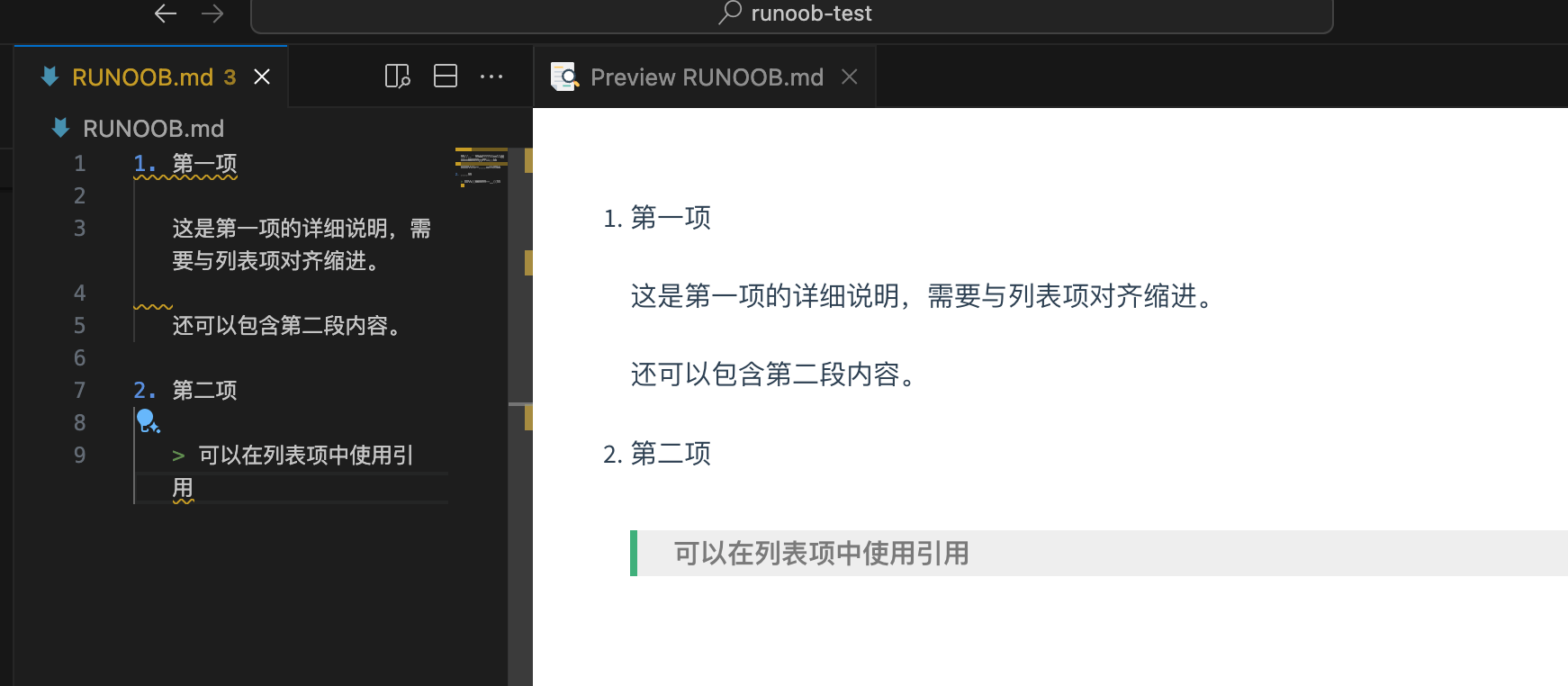
List items containing multiple paragraphs:
1. 第一项

   这是第一项的详细说明,需要与列表项对齐缩进。

   还可以包含第二段内容。

2. 第二项

   > 可以在列表项中使用引用
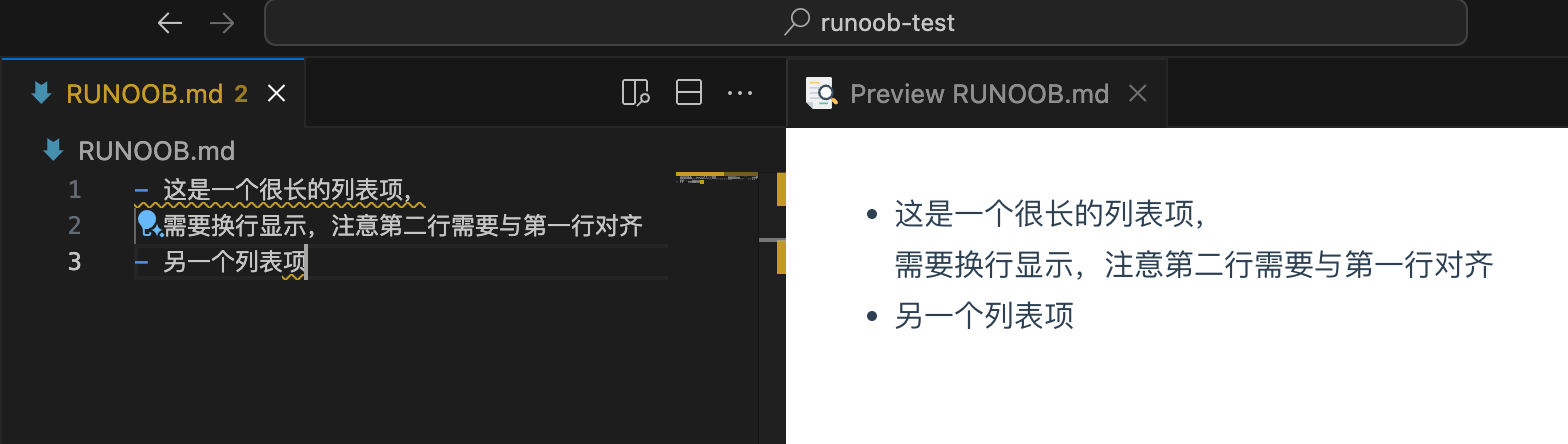
Line breaks in list items:
- This is a very long list item that
  needs to be wrapped to a new line. Note that the second line needs to align with the first line.
- Another list item
By mastering these basic syntaxes, you can already create well-structured, properly formatted Markdown documents. These syntaxes are the most commonly used in daily writing, and mastering them will greatly improve your document writing efficiency.
Other extensions