HTML5 MathML
HTML5 peut utiliser l'élément <math>...</math> dans un document, correspondant à la balise <math>...</math>.
MathML est un langage de balisage mathématique, une norme basée sur XML (un sous-ensemble du langage de balisage généralisé standard), utilisé pour écrire des symboles et des formules mathématiques.
Remarque :Actuellement, seuls les navigateurs Firefox ou Safari le prennent en charge, et la plupart des navigateurs ne prennent pas en charge la balise MathML. Si votre navigateur ne prend pas en charge cette balise, vous pouvez utiliser la dernière version de Firefox ou Safari pour l'afficher.
Nous pouvons également utiliser des bibliothèques de styles tierces pour prendre en charge la notation mathématique. La bibliothèque de styles utilisée dans ce chapitre peut être téléchargée en cliquant sur le bouton ci-dessous :
Télécharger mathml.zip
Exemple MathML
Voici une instance MathML simple :
instance
<html>
<head>
<meta charset="UTF-8">
<title>Tutoriel d'exemple (example.com)</title>
</head>
<body>
<math xmlns="http://www.w3.org/1998/Math/MathML">
<mrow>
<msup><mi>a</mi><mn>2</mn></msup>
<mo>+</mo>
<msup><mi>b</mi><mn>2</mn></msup>
<mo>=</mo>
<msup><mi>c</mi><mn>2</mn></msup>
</mrow>
</math>
</body>
</html>
Essayez-le »
Utilisez des bibliothèques tierces pour prendre en charge :
instance
<html>
<head>
<meta charset="UTF-8">
<title>Tutoriel d'exemple (example.com)</title>
<script type="text/javascript" src="/static.jyshare.com/assets/js/mathml/mspace.js?v=2"></script>
</head>
<body>
<math xmlns="http://www.w3.org/1998/Math/MathML">
<mrow>
<msup><mi>a</mi><mn>2</mn></msup>
<mo>+</mo>
<msup><mi>b</mi><mn>2</mn></msup>
<mo>=</mo>
<msup><mi>c</mi><mn>2</mn></msup>
</mrow>
</math>
</body>
</html>
Essayez-le »
Image du résultat, comme indiqué ci-dessous :

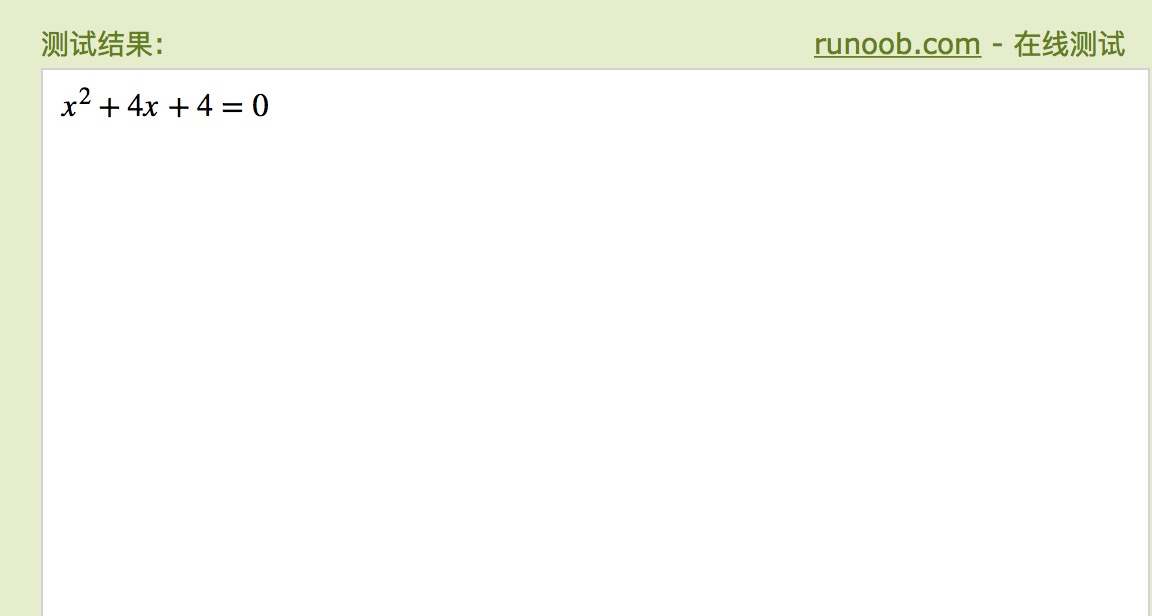
Voici un exemple avec quelques opérateurs ajoutés :
instance
<html>
<head>
<meta charset="UTF-8">
<title>Tutoriel d'exemple (example.com)</title>
</head>
<body>
<math xmlns="http://www.w3.org/1998/Math/MathML">
<mrow>
<mrow>
<msup>
<mi>x</mi>
<mn>2</mn>
</msup>
<mo>+</mo>
<mrow>
<mn>4</mn>
<mo></mo>
<mi>x</mi>
</mrow>
<mo>+</mo>
<mn>4</mn>
</mrow>
<mo>=</mo>
<mn>0</mn>
</mrow>
</math>
</body>
</html>
Essayez-le »
Utilisez des bibliothèques tierces pour prendre en charge :
instance
<html>
<head>
<meta charset="UTF-8">
<title>Tutoriel d'exemple (example.com)</title>
<script type="text/javascript" src="/static.jyshare.com/assets/js/mathml/mspace.js?v=2"></script>
</head>
<body>
<math xmlns="http://www.w3.org/1998/Math/MathML">
<mrow>
<mrow>
<msup>
<mi>x</mi>
<mn>2</mn>
</msup>
<mo>+</mo>
<mrow>
<mn>4</mn>
<mi>x</mi>
</mrow>
<mo>+</mo>
<mn>4</mn>
</mrow>
<mo>=</mo>
<mn>0</mn>
</mrow>
</math>
</body>
</html>
Essayez-le »
Image du résultat, comme indiqué ci-dessous :
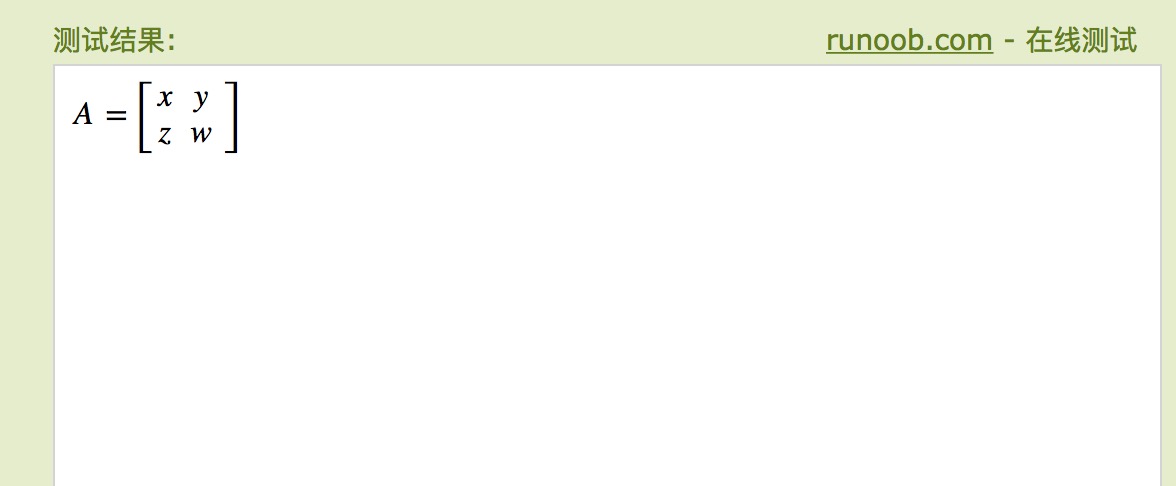
Voici une instance de matrice 2×2, qui peut être visualisée en pratique dans Firefox 3.5 et versions ultérieures :
instance
<html>
<head>
<meta charset="UTF-8">
<title>Tutoriel d'exemple (example.com)</title>
</head>
<body>
<math xmlns="http://www.w3.org/1998/Math/MathML">
<mrow>
<mi>A</mi>
<mo>=</mo>
<mfenced open="[" close="]">
<mtable>
<mtr>
<mtd><mi>x</mi></mtd>
<mtd><mi>y</mi></mtd>
</mtr>
<mtr>
<mtd><mi>z</mi></mtd>
<mtd><mi>w</mi></mtd>
</mtr>
</mtable>
</mfenced>
</mrow>
</math>
</body>
</html>
Essayez-le »
Utilisez des bibliothèques tierces pour prendre en charge :
instance
<html>
<head>
<meta charset="UTF-8">
<title>Tutoriel d'exemple (example.com)</title>
<script type="text/javascript" src="/static.jyshare.com/assets/js/mathml/mspace.js?v=2"></script>
</head>
<body>
<math xmlns="http://www.w3.org/1998/Math/MathML">
<mrow>
<mi>A</mi>
<mo>=</mo>
<mfenced open="[" close="]">
<mtable>
<mtr>
<mtd><mi>x</mi></mtd>
<mtd><mi>y</mi></mtd>
</mtr>
<mtr>
<mtd><mi>z</mi></mtd>
<mtd><mi>w</mi></mtd>
</mtr>
</mtable>
</mfenced>
</mrow>
</math>
</body>
</html>
Essayez-le »
Image du résultat, comme indiqué ci-dessous :