Use Firebug to view and edit HTML and CSS.
Firebug's official website announced that it has ceased further development, updates, and maintenance of Firebug, inviting everyone to use Firefox's built-in tools.DevTools。
Description
In this chapter's tutorial, we will discuss how to use Firebug to view and edit HTML and CSS.
Use Firebug to view and edit HTML.
Right-click on the element you want to view and then click.Inspect Element (View Element).
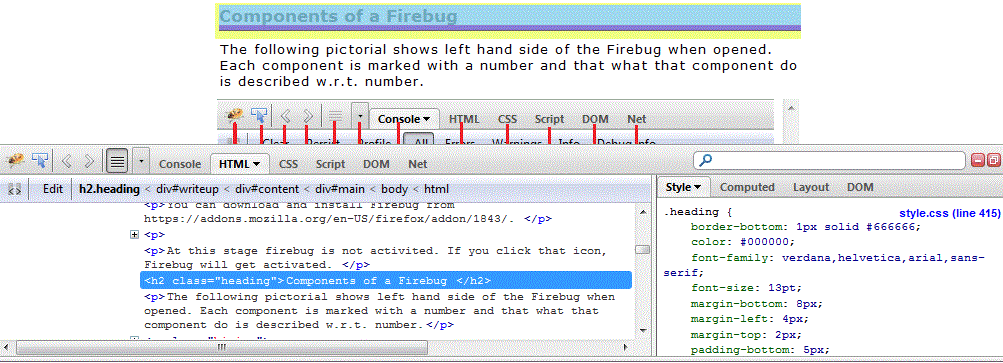
Now click on the Firebug window.Edit (Edit) 。
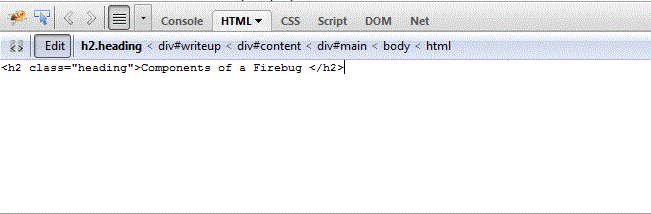
Modify code <h1>Components of Firebug</h1>.
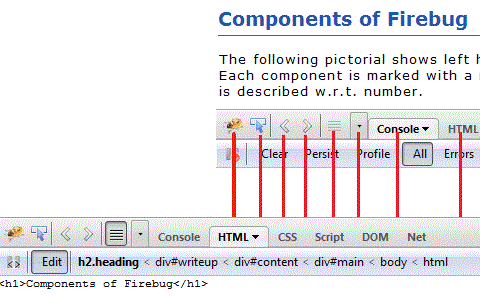
You can simply modify the code in the Firebug window to see the real-time effect of the modified code in the browser, and you can also copy the code into your HTML file.
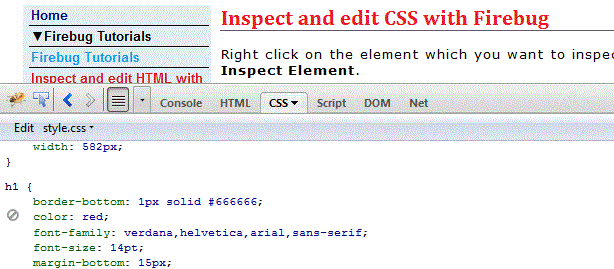
Use Firebug to view and edit CSS.
Right-click the element you want to view and then click.Inspect Element (View Element)As shown in the figure below, click the style file.
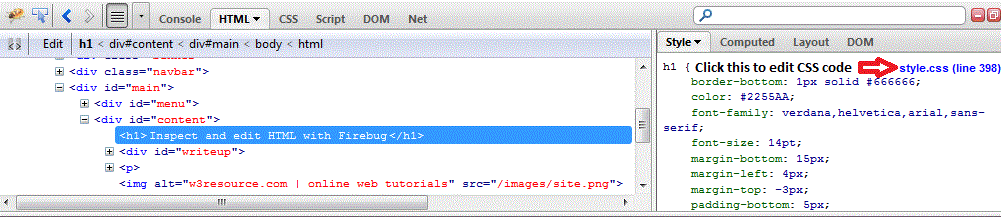
By modifying the code tocolor:red;to modify the title color
After making changes, you can immediately see the modified effect.
Now you can copy the modified style, replace the original code, and save it to make it take effect.