FastAPI Interactive API Documentation
FastAPI automatically generates interactive API documentation based on type annotations in the code, providing two interfaces by default: Swagger UI and ReDoc. Developers can test APIs directly in the documentation without any additional tools.
Access API documentation
After running the FastAPI application, visit the following address to view the documentation:
| Address | Document type | Features |
|---|---|---|
| http://127.0.0.1:8000/docs | Swagger UI | Interactive testing: click "Try it out" to send requests. |
| http://127.0.0.1:8000/redoc | ReDoc | Good reading experience, suitable for browsing and referencing API definitions. |
| http://127.0.0.1:8000/openapi.json | OpenAPI JSON | Raw OpenAPI specification JSON, available for consumption by tools. |
Swagger UI
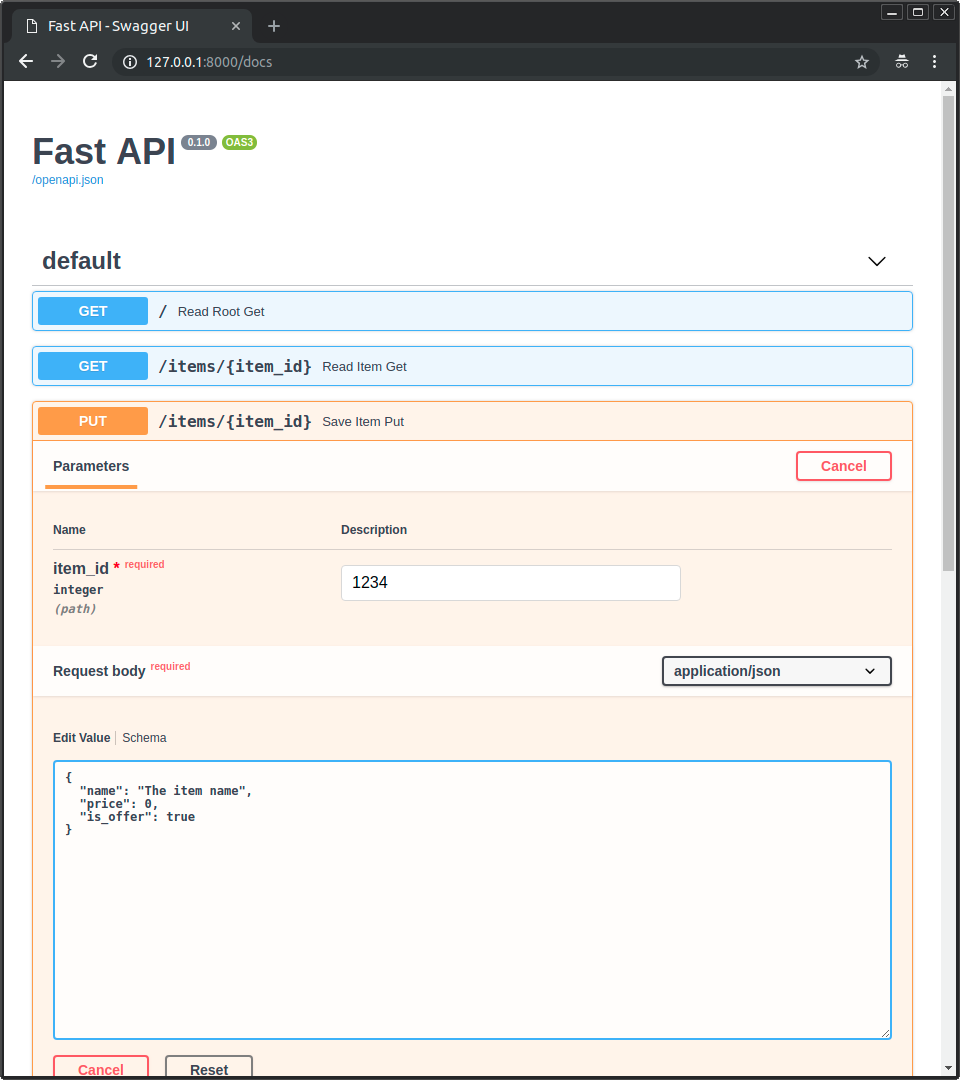
Swagger UI provides an intuitive user interface to test APIs directly in the browser:
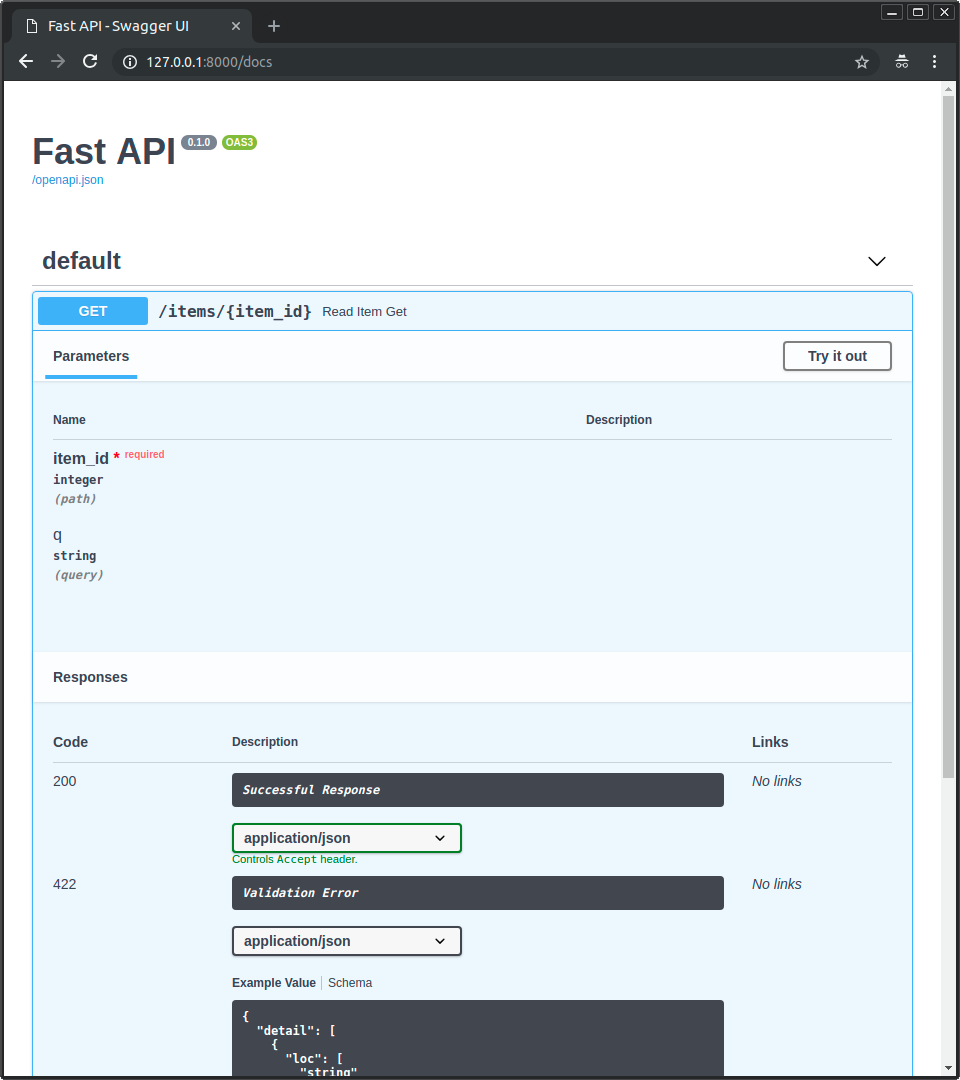
Steps to test the API
- Click the route you want to test to expand its details
- Click"Try it out"Button
- Fill in parameter values
- Click"Execute"Button sends request
- View response results
ReDoc
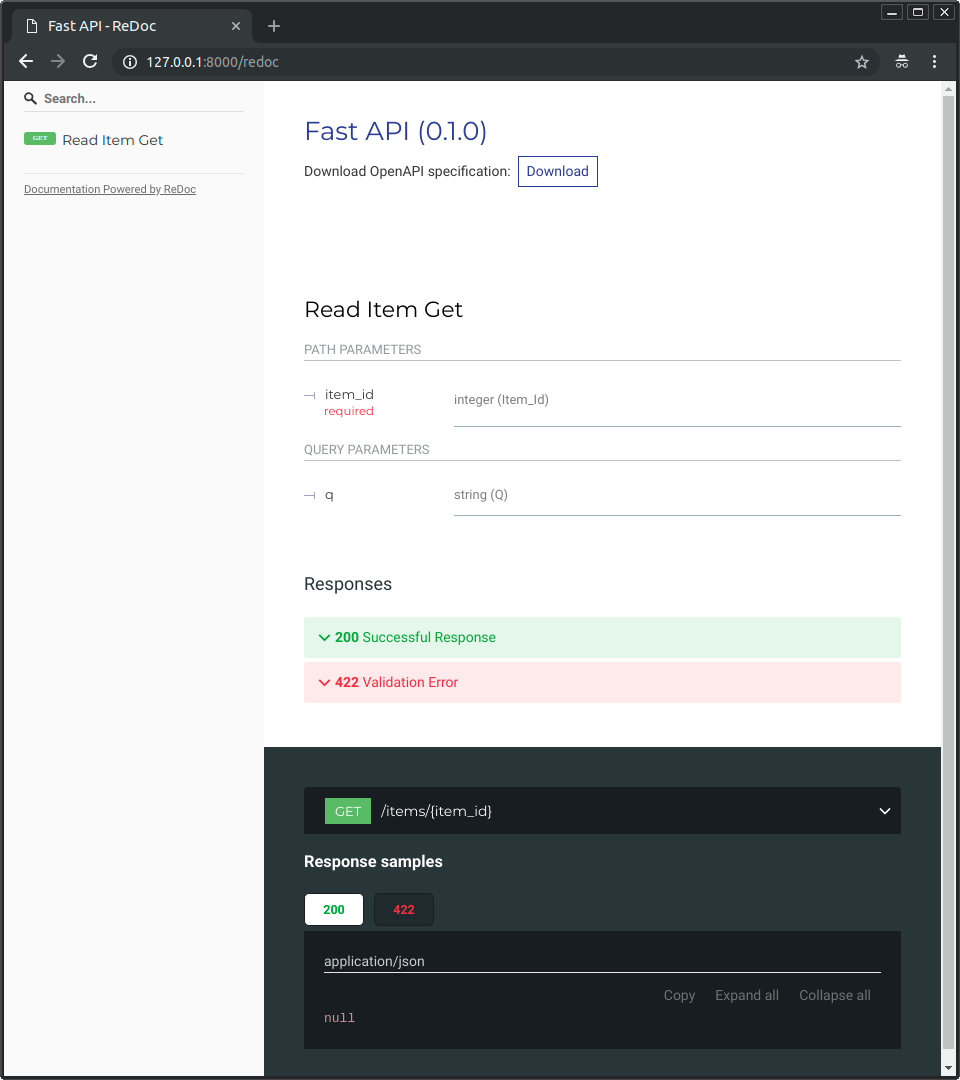
ReDoc focuses on document readability, suitable for browsing API definitions:
OpenAPI Specification
FastAPI UsageOpenAPIThe standard converts APIs into "schemas". Visithttp://127.0.0.1:8000/openapi.jsonYou can view the raw OpenAPI JSON:
{
    "openapi": "3.1.0",
    "info": {
        "title": "FastAPI",
        "version": "0.1.0"
    },
    "paths": {
        "/items/{item_id}": {
            "get": {
                "responses": {
                    "200": {
                        "description": "Successful Response"
                    }
                }
            }
        }
    }
}
Purpose of the OpenAPI specification:
- Powers the Swagger UI and ReDoc documentation systems
- Automatically generate client code in various languages
- Integration with API testing tools (such as Postman)
- Compatible with a large number of third-party tools and platforms
Customize API documentation information
When creating a FastAPI instance, you can customize the metadata of the documentation:
Example
app = FastAPI(
title="My API", # API Title
description="This is an example API, demonstrating documentation customization features", # API Description
version="1.0.0", # API Version
terms_of_service="http://example.com/terms/", # Terms of Service URL
contact={ # Contact Information
"name": "Developer",
"url": "http://example.com/contact/",
"email": "[email protected]",
},
license_info={ # License information
"name": "MIT",
"url": "https://opensource.org/licenses/MIT",
},
)
Add documentation information for routes
You can add detailed documentation information for each route in decorators and functions:
Example
from fastapi import FastAPI, Path, Query
app = FastAPI()
@app.get(
"/items/{item_id}",
summary="Get Product Information", # Brief Summary
description="Get detailed product information by product ID", # Detailed Description
response_description=Product Information Object, # Response Description
tags=["Product Management"], # Group Tags
)
async def read_item(
item_id: Annotated[int, Path(ge=1, description="Product ID")],
q: Annotated[str | None, Query(description=“Search keywords”)] = None,
):
"""
Get product information:
- **item_id**: The unique identifier of the product.
- **q**: optional search keyword
"""
return {"item_id": item_id, "q": q}
Documentation parameter description:
| Parameter | Position | Description |
|---|---|---|
summary | decorator | Short summary of the route, displayed in the route list. |
description | decorator | Detailed description of the route, supports Markdown. |
response_description | decorator | Response description |
tags | decorator | Route grouping, displayed by tag categories in the documentation. |
| docstring | function body | Function docstrings are displayed as descriptions. |
If both are set simultaneously
descriptionand the function's docstring,descriptionTakes precedence. docstrings support Markdown format, suitable for writing longer explanations.
Group using tags
tagsParameters can group related routes together for clearer display in the documentation:
Example
app = FastAPI()
@app.get("/users/", tags=["User Management"])
async def read_users():
return [{"username": "Rick"}, {"username": "Morty"}]
@app.get("/items/", tags=["Product Management"])
async def read_items():
return [{"name": "Foo"}, {"name": "Bar"}]
In Swagger UI, routes are displayed grouped by tag.
Disable documentation
In production environments, you might want to disable automatic documentation:
Example
# Disable Documentation
app = FastAPI(docs_url=None, redoc_url=None)
Summary
- FastAPI automatically generates two types of interactive documentation: Swagger UI and ReDoc
- The documentation content is automatically generated based on type annotations in the code, and the documentation automatically syncs when the code updates
- Usage
title、description、tagsCustomize documentation information with parameters such as these: - Function docstrings also appear in the documentation.
- Production environment can be accessed via
docs_url=NoneDisable documentation